 March 2026 was marked as the start of my Linux journey. I have completely moved away from Microsoft Windows in favour of greener and more and open-source pastures. I have grown disenfranchised and cynical with Windows as an operating system and tool that I use every day for most of my entire life. I have certainly also soured on Microsoft as a whole, or anything to do with them. With these growing frustrations, the past years I found myself toying with the idea of making a switch. This would usually end in me shutting myself down and saying "I'm not bothered" or perhaps being worried that it would be too cumbersome to have it function the way I need it to, but thankfully I put these worries behind me and a series of events led me to where I am today.
I made this page to document my journey and maybe even show others that switching is not only worthwhile but can be very fun and rewarding if you want to have complete control over your system.
 This page does not have conventional navigation links. In the spirit of Linux, I have instead opted to imitate a terminal; this will feel familiar to some of you, but to those unacquainted with command lines, you need only click on the terminal to the right and type away. The instructions have already been printed for your convenience. I hope you enjoy exploring this page and maybe even learning something new!


 Visit my Digital Garden for even more of my Linux stuff including tutorials, tips and tricks and configs!
- access to certain programs and games that were only available on Windows, and
- the misconception that this would be a tremendous pain or downright impossible to mediate.
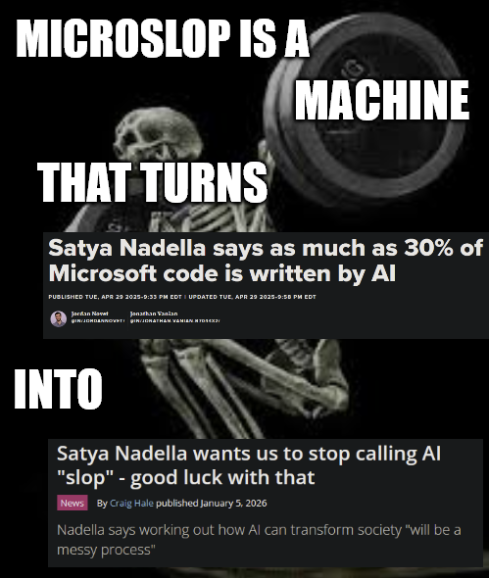
Most importantly, Linux provides you a level of control and sovereignty that rightfully makes your computer yours. The end-times for Windows in terms of computer ownership began to show its cracks when they changed "My Computer" to "This PC" in Windows 10. Microsoft, or Microslop, if you prefer, wants to make it abundantly clear that at absolute best you are co-managing THEIR machine. And as of 2026, the AI slop being force fed into every facet of the OS and important programs like Notepad is just bewildering. As if I needed any more reason to jump ship... and I have a feeling that this is only the beginning of their downfall. I just want to give myself a theme, why are you shoving Copilot in my fucking Explorer window? Or breaking half of my drivers and bricking my BIOS from forced random updates? Finally, why did you ever think you had the right to give companies access to my kernel just for the sake of an online games' invasive anti-cheat system?
As of writing this, almost May 2026, Linux users account for a new peak of 5.33% in the Steam Hardware & Software survey. This is crazy. Linux is definitely in style and is starting to become a tangible competitor. Every few years you even have countries moving their entire goverment digital infrastructure away from Windows and onto Linux. So if there is any a good time to get started on Linux, it is definitely now. Between these recent events and Valve going all-in on their Linux-based tech, Linux is becoming harder and harder for major corporations to ignore.
What does this mean for the average end-user? Someone who has minimal understanding of how a computer works, maybe they use the internet, maybe they play games, or maybe they use it for work; ultimately, how would this person fare installing and using a Linux operating system? I would honestly say: it would be a good experience for them. Given that they chose a distribution that is made to be as simple to use, easy to install, easy to configure and has elements that they are already used to from Windows or perhaps MacOS, then it would be perfectly suitable for them to use Linux. I say this honestly and with confidence due to my own first-hand experience of installing a Linux OS called Pop! OS for my Gen-X mother who has very little technical know-how. She used it for web browsing and watching movies/shows, and did so with ease. She never asked for help or struggled, even commenting to me that she preferred it over Windows.
This isn't to say that Linux is without faults. It's just simpler to put it in this perspective: I would rather struggle to swim with Linux than completely drown with Windows. It is an important distinction to remember that you are often at Microsoft's whim when it comes to the overall usability and performance of your machine. Whereas Linux has an abundance of community-driven software and hardware support that is constantly being maintained. It's always on an upward trajectory and never something you have to worry about reaching end-of-life status. Google recently announced that starting September 2026, you will not be able to install "un-vetted" apps on your phone anymore. The world of big tech is watching this with prying eyes and ready to jump on this same level of control and extortion. Seeing as how they are forcing app developers to pay a fee and submit their government-issued identification in order to make their app installable, it is literally extortion. I personally have an Android Google Pixel because it has good hardware, but mainly, because you use Android with the promise of being able to do what you want with it. This is not going to be the case anymore. Now if Google can pull off such a heinous feat, what makes people think that Microsoft won't also do this?
The most a person would struggle with Linux is bugs here and there, messing up their system through their own means while customising and configuring (which you can easily undo) and general instability from out of date or unsupported programs. This is nothing new to anybody who uses computers.
 To put it in simple terms, choose Linux if you want:
- Complete and total control over your system
- Endless amount of customisation, you can make it look and do whatever you feel like
- Choice over what gets updated and when
- A wide range of operating systems, from CLI-only to lightweight to MacOS-tier capability
- Complete divorce from corporate ecosystems like Microsoft, Google, Apple, etc.
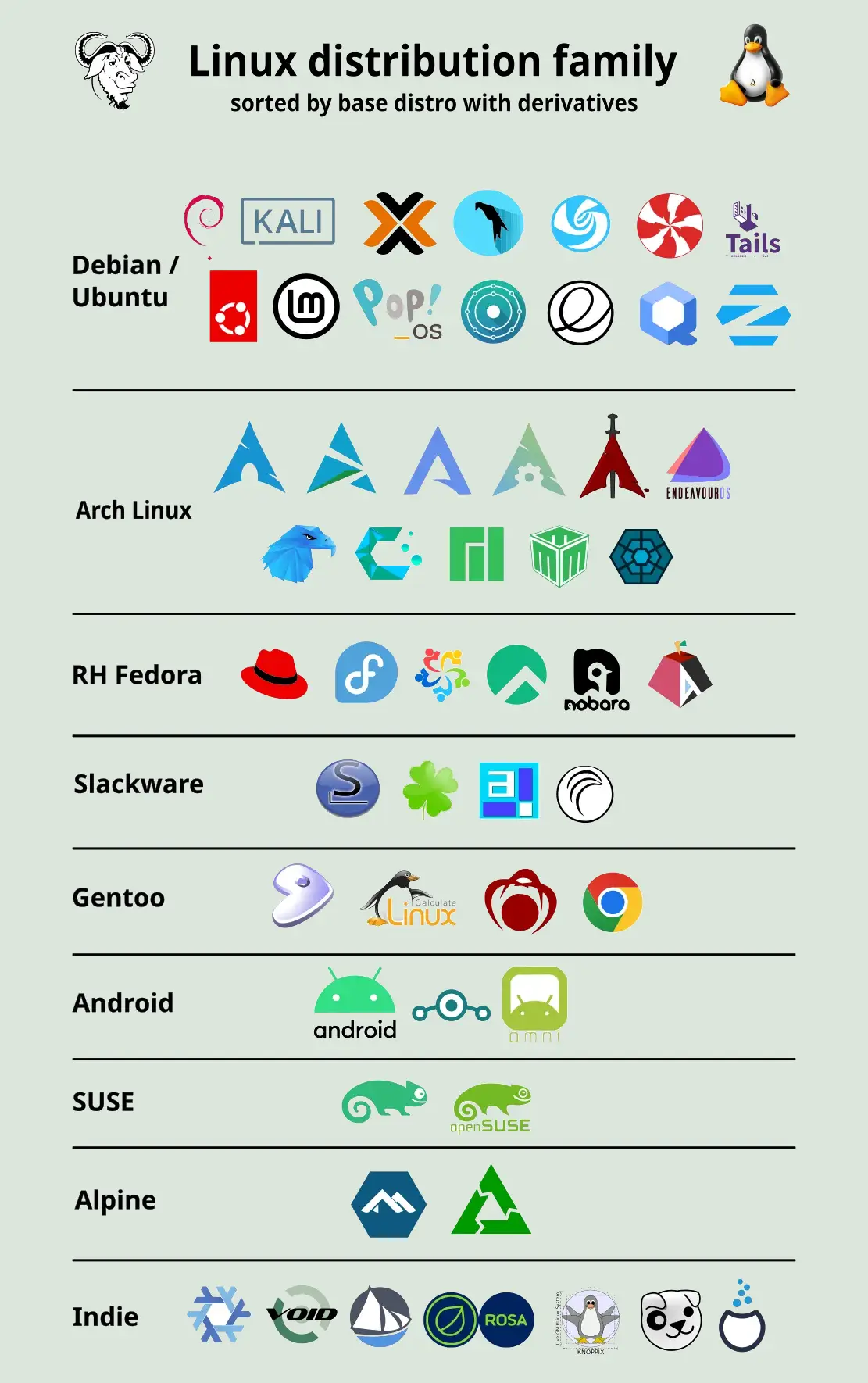
Where should you go from here if you want to use Linux? The distro (operating system) you use varies per your needs and wants. If you want a simple gaming station with little setup that is focused on performance and has preconfigured drivers specifically for gaming, try CachyOS. If you want something simple, stable, that looks nice and performs similar to Windows, try Linux Mint. Debian has historically been one of the most popular systems, as well as Ubuntu based systems, stuff like Pop! OS and Mint. I would recommend Mint to almost anyone. If you want something feature-rich, highly customiseable and modern, reminiscent of the design philosophy of Windows 10/11, try KDE Plasma. If you want something extravagant and similar to MacOS, try GNOME. If you need something more lightweight but still feature-complete, try XFCE4. And if you want to pull yourself up by the straps and go all-in on configuring your system from the ground-up EXACTLY how you envision it to be, then try Arch. It is as rewarding as it is daunting if you have the patience to learn, but once it clicks like it did for me, you won't want to try anything else. I have a section dedicated to Arch on this page with my further thoughts on it and how a newbie like me found a wonderful guide on installing it that helps you avoid reading manpages for hours. You could also go one step further with this notion and try nightmare mode with Gentoo. These are just my suggestions, I'm not an expert on this and my suggestions are based on my own experience and what I've researched online. You can also try Distrochooser, an online quiz that helps you choose the perfect OS for you. Most of all, just do some research and never be afraid to try things, mess up, fuck up your system, and then easily roll back because you have installed Timeshift to hard-carry you out of these situations and make life with Linux less stressful and more exciting.
 My true Linux experience began with Linux Mint, specifically Mint Cinnamon, which as I have described in other sections here, was a very pleasant but also eye-opening experience as to what I could do with Linux based on the operating system chosen. While Mint was great, easy to use and very stable, with lots of quality of life features, I had boxed myself in a little bit when it came to the customisation aspect of it. Cinnamon is not very customiseable in terms of how you want it to look nor is it intended to be. It has some cool applets and widgets that you can add from a wide selection, and there are nice themes to choose from all over the web, but the general structure or "skeleton" stays the same and I was more interested in totally overhauling the look of the system. I was begging for the ability to do this after being boxed-in and subjugated by Windows regarding the look of my own computer. By this point, I was hooked on Linux, and I had already decided that Mint was like training wheels for my bike and it was time to take them off and just install Arch and be done with it.
What is Arch?
Arch Linux is a type of operating system that gives you a very minimal starting point and lets you build everything yourself from the ground up. Instead of coming with lots of pre-installed apps and settings, it starts simple and expects you to choose exactly what you want to install and configure. Because of this, it gives you a lot of control over your system, but it also requires more knowledge and effort compared to beginner-friendly Linux versions. It follows a "do-it-yourself" approach, which is why it's popular with users who like to understand and customise every part of their system. The reason I chose Arch is because everything that I just said ticked all the boxes for me pertaining to what I want from an operating system. I don't have interest in compiling everything from scratch like Gentoo, but I want the next floor up, which is what Arch is. I was just having tons of FOMO knowing that if I stay on any other distro, I won't be able to have the same level of control to my heart's content.Installing Arch
 Now, thankfully, I didn't have to jump into the deep end without a life jacket because I found this amazing Arch installation guide. I don't really have much else to say on this, if you want to install Arch and you don't know what you're doing, just follow the guide, it covers everything and also has some awesome extra bits about gaming specifically, which is exactly what I needed. I skipped some steps like the DE part because I had my own DE in mind (XFCE).
Arch & Stability
One important thing that you need to decide before you even install Arch is which branch of the Linux kernal you want. Arch, by design, is a rolling release system, which means it doesn't have traditional versions like "yearly releases". Instead, it is continuously updated, so you always get the newest software as soon as it's available. This is one of the reasons I chose it. These frequent updates are great, but they can sometimes introduce small bugs or break changes because you're always on the cutting edge.You can help mitigate this by opting for the Linux LTS kernel instead of the latest kernel, which receives fewer changes and is tested more thoroughly over time. LTS is Long Term Stability, so using LTS on Arch reduces the chance of unexpected issues after updates, while still keeping the rest of the system modern and rolling. Arch gives you the newest software, and LTS helps make the foundation more stable so your system is less likely to break. I have found this combination to be great for me.
My PC | Acer Nitro 5
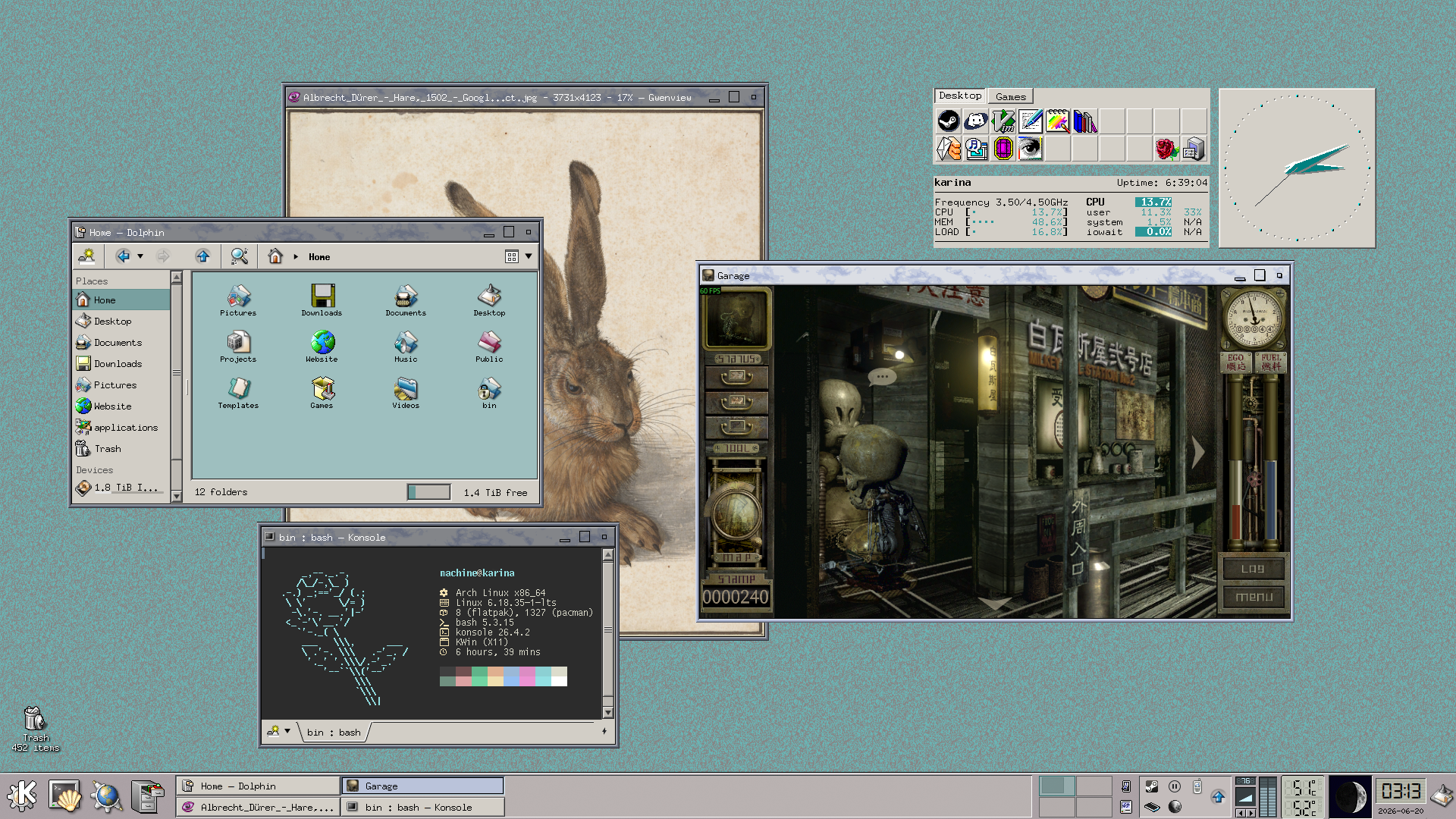
I am currently updating this page from Vim! Yes, I decided out of the blue that I would switch cold turkey from VS Code to Vim. I thought it would feel like an iPad baby having its toy taken away and being plopped in front of a terminal from the 1980s, but with some plugins that add familiarity, it has been surprisingly fine so far. I'll probably write a blog post about it soon Blog post: Switching from VS Code to Vim. The main thing is, I have managed to retain 90% of the functionality I had on VS Code with 100% less bloat and Microshit constantly harrassing me with update notifications and AI advertising. I also updated my theme again; with the Plasma 6.7 update I felt inspired to do something a little more unique and spliced together, rather than lean heavily into Windows 9x with the old titlebars and UX elements.
Kitchen Streating Station | Acer Chromebook R11
Last updated: 21-04-26
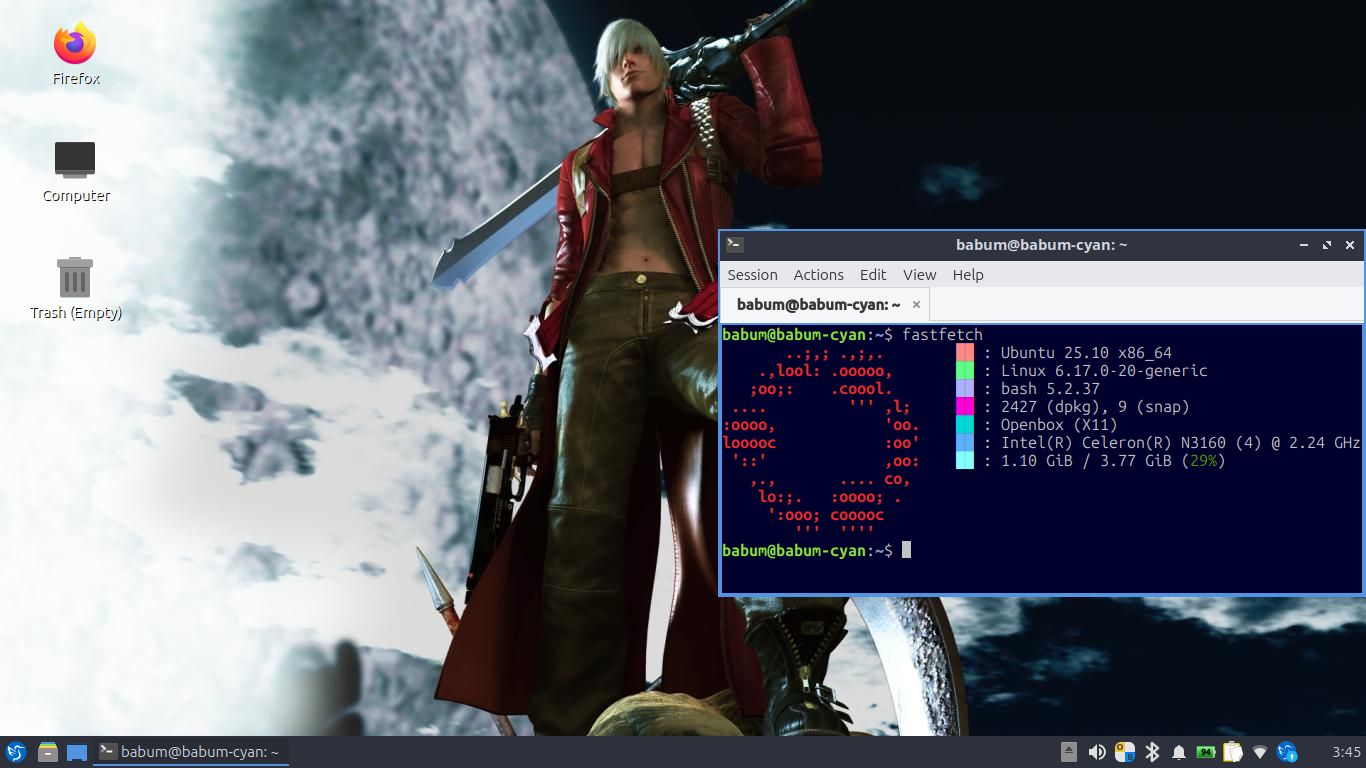
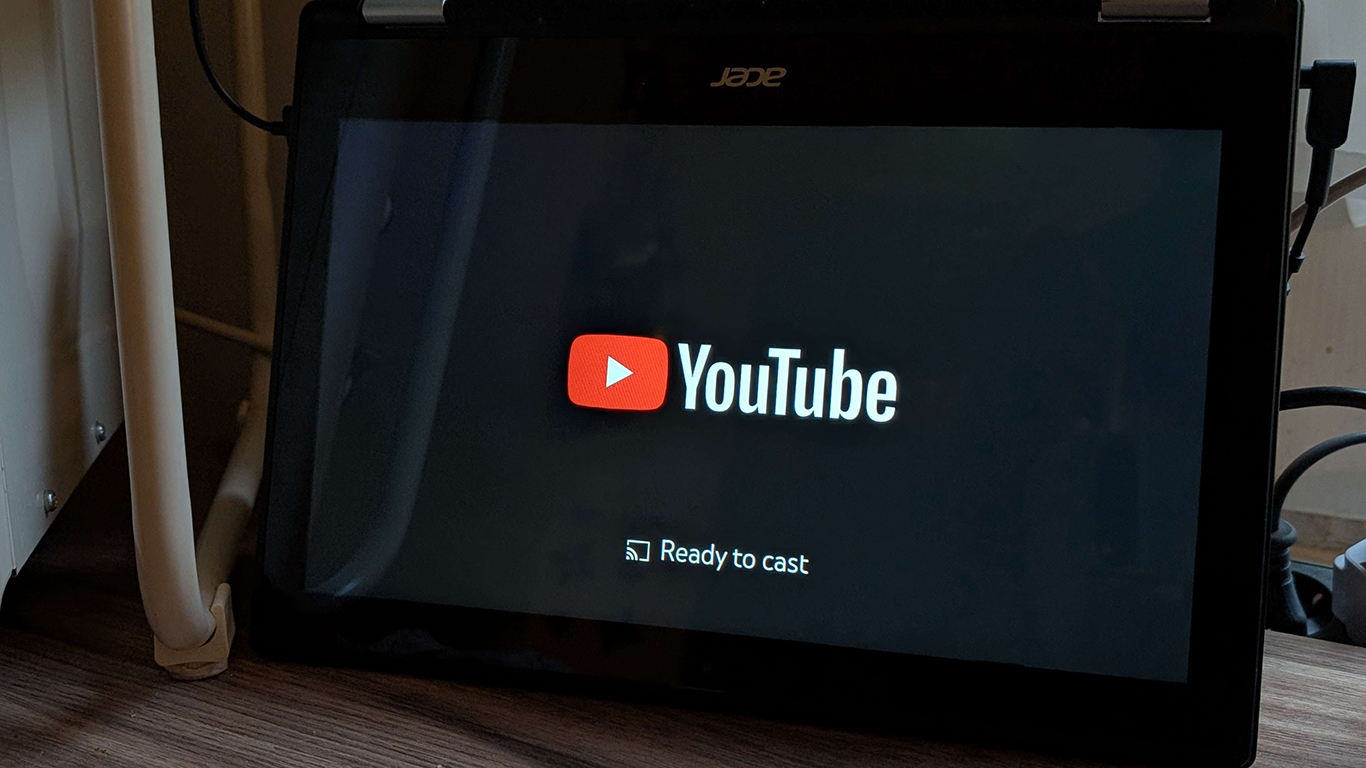
My first true Linux project; doing this fully convinced me to convert my main machine from Windows to Linux. It's a Chromebook with Linux installed on it that lives in a corner on my kitchen counter, allowing me to cast my phone's YouTube app to it like you normally would do a TV. I wrote a blog post on the entire process, which includes extra information on the build itself. The hardware of this thing is abysmal; the resolution comes in at a tiny 1366x768, it has only 4GB RAM, an Intel Celeron CPU and 32GB of storage space, yet the hardware is more than enough for what I need and Lubuntu works flawlessly on it and there is absolutely zero lag or stutter when casting to it (or just using it in general). Long story short, making this paperweight into a functioning Linux-based Chromecast machine is what inspired me to fully move to Linux on my computer.
Obviously the installation itself is not customised or made to look pretty at all, I just left everything as-is after installation other than changing the desktop wallpaper because my only goal was to get the exact functionality I wanted out of it, and it's in kiosk mode 99% of the time anyway, as pictured.
My PC | Acer Nitro 5
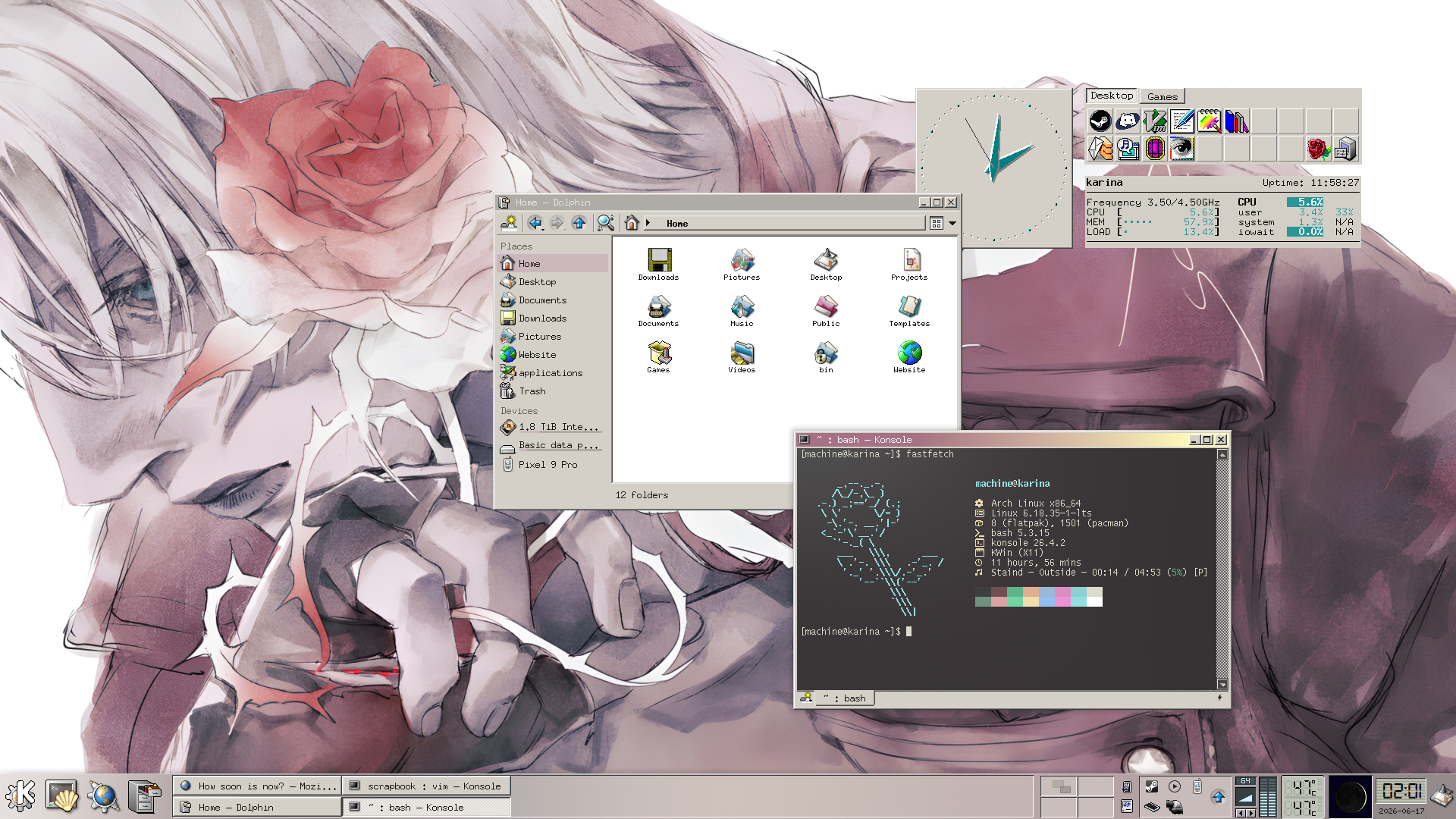
I was forced into changing to KDE much quicker than I originally anticipated and wanted to. Turns out, using a hacked-together and very ricey FVWM3 setup comes with all sorts of problems, including not being able to use Steam Link (black screen with only audio and cursor). I figured I wanted to switch to KDE anyway, and this gave me a good reason to use a real DE. Plus, the Steam Deck uses KDE, so it has to run games well (it does). Theme is inspired by KDE 2/3; I really love this look. Apparently there's some update coming mid-June that makes theming look more cohesive, but with some digging and playing around it was achievable to get this look that I wanted.
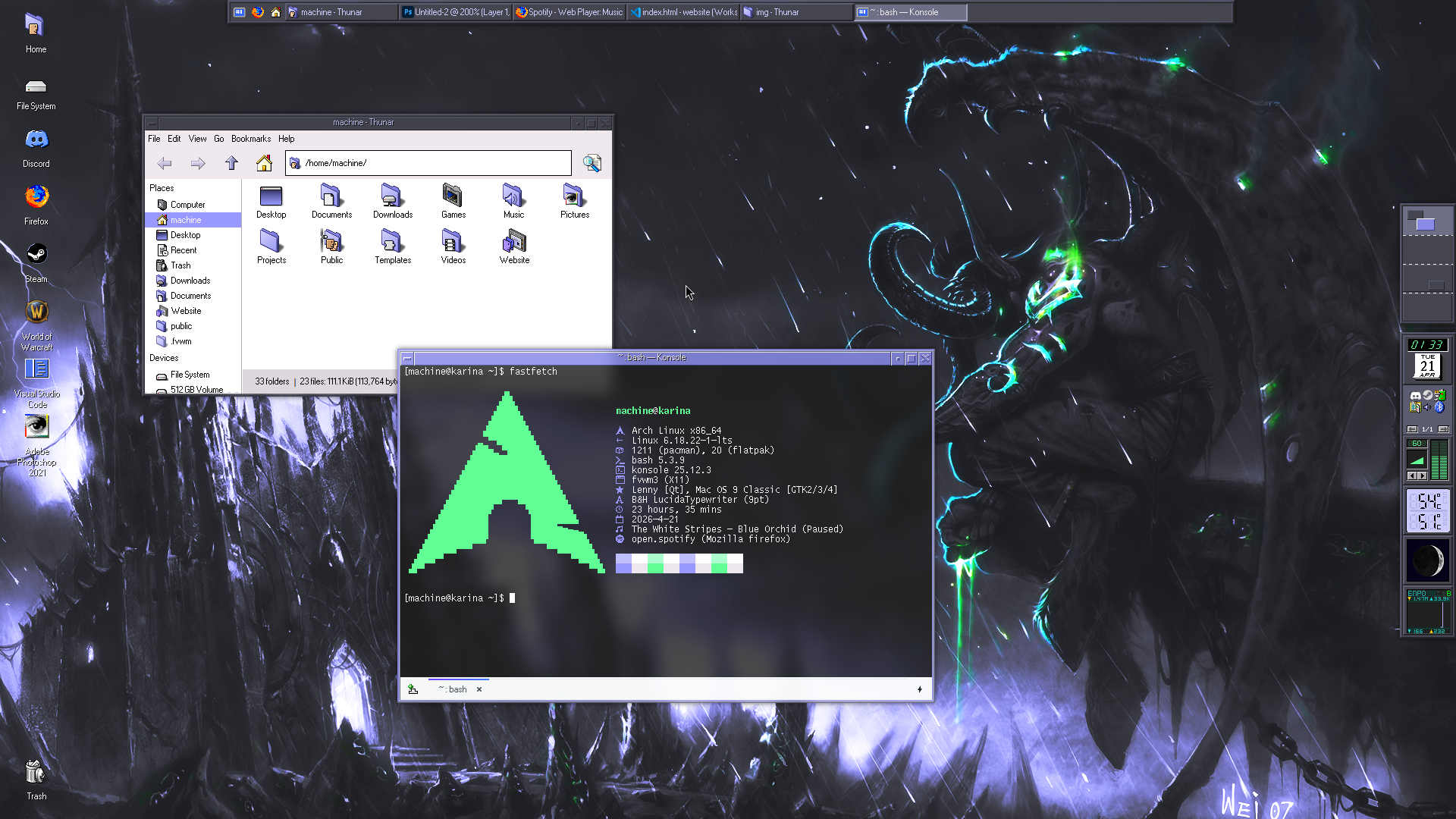
I am currently daily driving Arch (I use Arch btw) and will probably continue do so forever. Visit my Why Arch? section for why. XFCE is my desktop environment, although technically I'm only using parts of it, because FVWM3, my window manager, is what actually starts and controls my session. Basically FVWM on top of XFCE. For example, I'm using xfdesktop instead of FVWM's "root". I find that a lot more useful and functional than FVWM's native "desktop".
I like both FVWM and XFCE because of how customisable they are; I picked FVWM3 specifically because I really liked the aesthetic of it and I find the dockapps it supports so cool to have. XFCE has the benefit of being lightweight but, honestly, I don't exactly need a very lightweight DE because my hardware isn't ancient (sorry die-hard XFCE fans). I haven't really gone out of my way to swap out programs, except the terminal emulator (I use Konsole) because the native programs that come with XFCE are nice and I haven't felt the need to. I especially like Thunar, it's an amazing File Manager that just does what it's supposed to do and doesn't pmo me unlike Windows File Explorer.
customising FVWM has certainly been a learning experience, but at least the experience has made me feel better equipped and more confident in the long run when it comes to config and dotfiles. In order to get modern system tray icons working inside wmsystemtray, I run snixembed --fork.
It is a very nice DE, it really just werks, but recently I've been interested in KDE... and I'm wanting to switch over to it more and more as time passes. It's very customisable just like XFCE (maybe even more so), it supports a more "retro" look if that's what you're into, but it's also very modern and has tons of interesting capabilities like KDE Connect. I will definitely wait for that feeling to reach a head though, because I want to make use of my current setup as much as possible after all the effort I put into setting it up the way I like it, lmao.
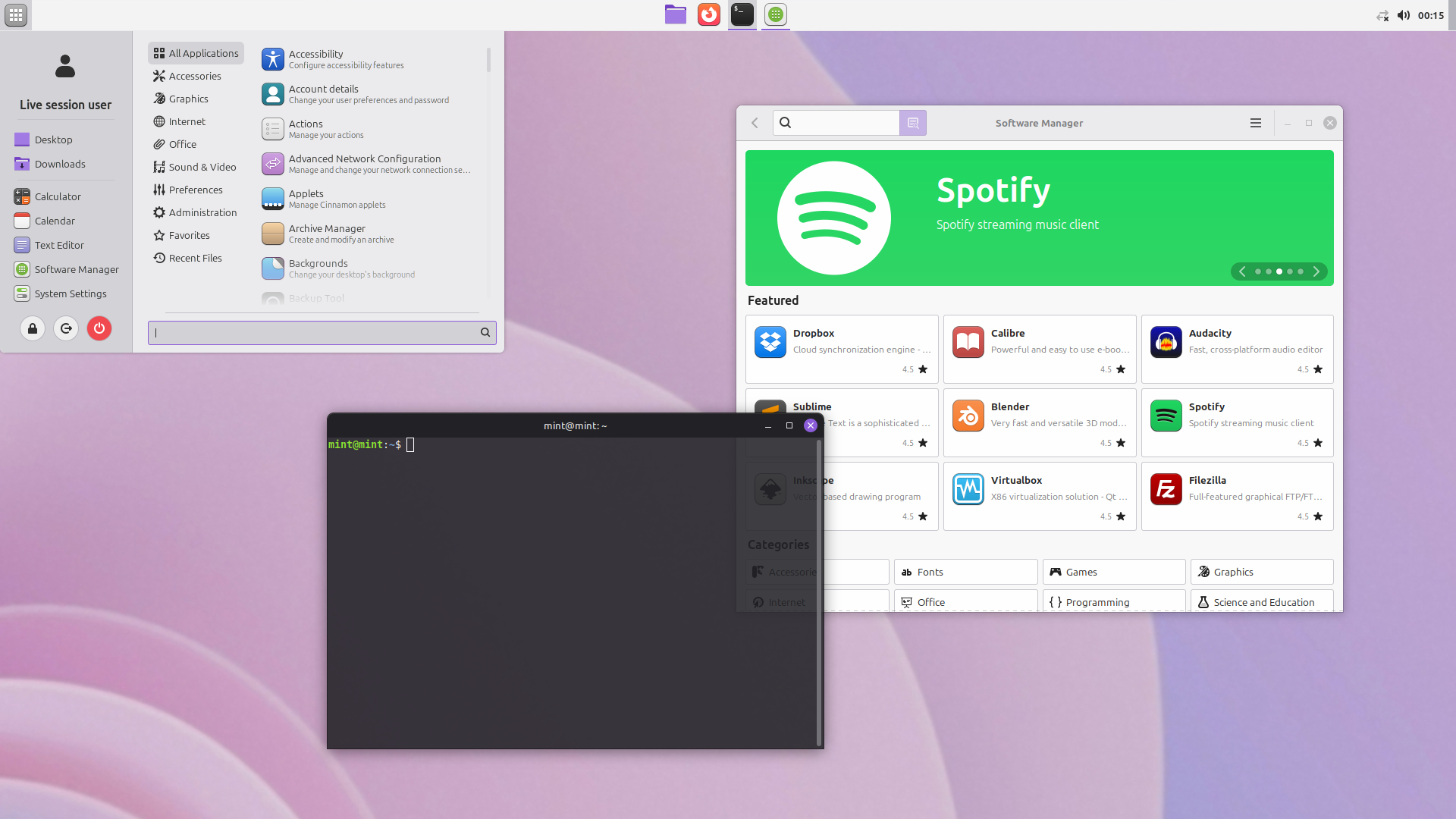
This isn't an actual screenshot of my original Mint setup because I never documented it at the time. This is just a quick recreation that I made using DistroSea, a website that allows you to demo a multitude of distros in your web browser.
I began my transition to Linux with Mint because it seemed the most approachable, and it was highly recommended almost everywhere that I looked, both for beginners to Linux and Windows migrants. Looking back, I would definitely agree with the sentiment and Mint was a very comprehensive and fully-realised operating system that had tons of features and programs out of the box, driver support, and a modern user interface (if you choose Cinnamon like I did) that looks very pretty and similar to Windows. In all regards, Mint was a great start for me and helped me ease into a deeper interest in Linux very quickly.
Having important features like driver support for NVIDIA GPUs (which were notoriously undersupported on Linux in the past, and especially difficult for newcomers to configure) built directly into a regular visual program upon installation took away a lot of anxiety when setting it up, anxiety that might've otherwise frustrated or overwhelmed a very newbie me. The NVIDIA program is very similar to NVCP in Windows. I would not only recommend Mint to those who want a digestible first Linux distro, but to anybody who wants something modern and accessible that just works and if you're not very invested in customisation. This also mostly avoids the big CLI/terminal scare that most new users have. I don't think I had to use the terminal a single time during initial setup; this partly due to Mint's native Software Manager, which essentially functions as an app store for a large variety of programs, many of which are commonly shared on other operating systems.
Thoughever, in my case, I'm well versed in the usage of terminals and tinkering with computers, so after a few days of using Mint and configuring it, I started to feel an overwhelming sense of FOMO, in that I could be doing so much more and using a more customisable and modular distro. I immediately wanted to distro hop to what many people consider to be one of the hardest but most rewarding distros, Arch Linux (I use Arch btw).
Firefox with uBlock Origin and BetterFox
- Firefox is a solid, privacy-respecting browser with good customisation and less built-in tracking compared to alternatives like Chrome
- uBlock Origin blocks ads, trackers, and junk scripts which makes pages load faster, look cleaner, and use less data/CPU
- Betterfox tweaks Firefox's hidden settings to improve speed, responsiveness, and tightens privacy even more.
Steam
For gaming, Steam is a necessity on Linux. Steam on Linux is basically plug-and-play today; thanks to Proton, most Windows games run without you doing anything. Linux also has less background junk than Windows, so games can run smoother or with more consistent frames. Also Valve (the company behind Steam) literally built the Steam Deck on Linux, so they actively improve Linux gaming constantly.WINE
Wine lets you run Windows programs directly on Linux without needing to install Windows itself. Instead of emulating a whole operating system, it translates Windows instructions into something Linux understands, which makes it lighter and faster than using a virtual machine. WINE stands for Wine Is Not an Emulator. It's useful when you rely on a specific Windows program but still want to stay on Linux, and it also forms the foundation for tools like Proton, which make many Windows games run seamlessly.Proton + Gamemode
Proton is the compatibility layer developed by Valve, which includes DXVK (DirectX 9-10-11 to Vulkan), VKD3D (DirectX 12 to Vulkan) and a custom version of Wine. It is embedded in Steam and can be enabled for non-native games directly in Steam:Steam > Settings > Compatibility > Enable Steam Play for all other titles. A custom version of proton, Proton GE exists and can be used as an alternative if something is broken or doesn't perform as expected.
Gamemode is a daemon/lib combo that makes it so when you launch a game, it temporarily boosts your system for performance, then goes back to normal after you quit.